

I bought the Globlinker Portable WiFi after seeing ads claiming it could provide internet almost anywhere and even comes with free monthly data for life.
That sounded convenient enough to try, especially since portable hotspots can be useful when traveling or when public Wi-Fi isn’t reliable.
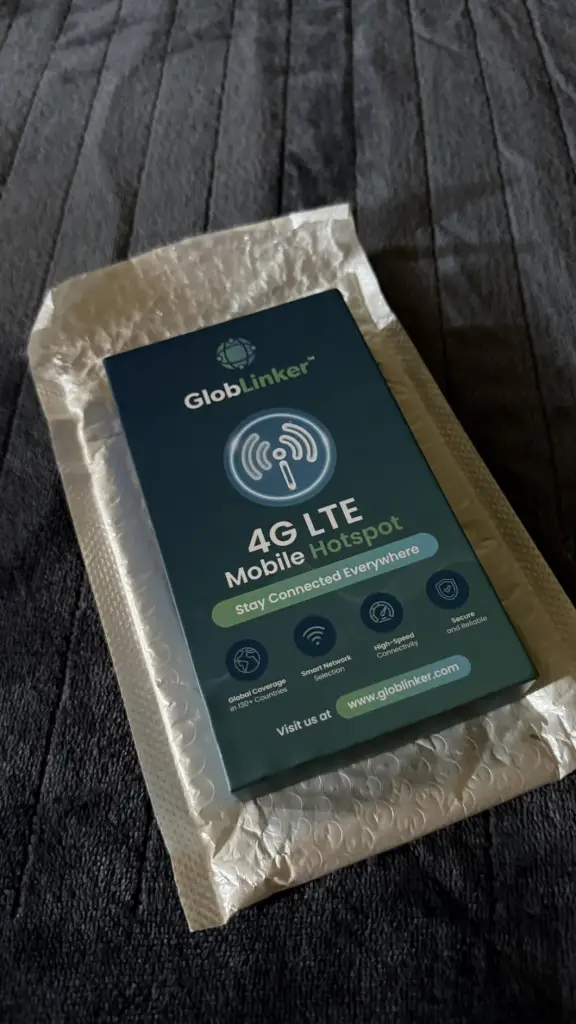
What Is The Globlinker Portable WiFi?
The Globlinker Portable WiFi is a small mobile hotspot that creates a private Wi-Fi connection using nearby cellular networks. Instead of inserting a SIM card, it uses CloudSIM technology, which automatically connects to available carriers in the area. The device is advertised to work in more than 130 countries, support multiple connected devices at once, and include a small amount of free monthly data, with the option to purchase more if needed.
Why I Bought It
What convinced me to try it was the free monthly data claim. Most portable hotspots require prepaid data plans, so the idea of getting even a small amount of data every month without a subscription sounded interesting enough to test.
My Experience Using It
When the device arrived, the setup was actually straightforward. I powered it on, waited for it to connect to a nearby network, and then connected my phone to the Wi-Fi signal it created.
The convenience is the first thing I noticed. Instead of searching for public Wi-Fi, I had my own connection that my phone and laptop could join. For basic things like browsing, messaging, and checking emails, it worked reasonably well when the cellular signal was strong.
But after using it a bit more, the limitations became obvious. The free monthly data allowance disappears quickly, especially if you stream videos, download files, or spend time on video calls. It’s enough for light browsing, but not much more.
Another thing I noticed is that the speed depends completely on the strength of the cellular network around you. In areas with good coverage, it works fine, but if the signal isn’t strong, the connection can slow down.
So while it’s convenient to have a portable hotspot in your pocket, it definitely feels more like a backup internet option rather than a primary one.
Pros & Cons
Pros
- Small and easy to carry
- Simple setup without needing a SIM card
- Can connect multiple devices
- Useful as a backup or travel hotspot
Cons
- Free monthly data runs out quickly
- Speed depends heavily on cellular coverage
- Additional data purchases may be required
- Not ideal for heavy internet use
Product Claims vs. Reality
- Claim: Internet anywhere
In my experience, it works anywhere there’s decent cellular coverage, but it’s still limited by network strength.
- Claim: Free lifetime data
The free data exists, but the amount is small and mainly useful for light browsing.
- Claim: No SIM card required
This part is accurate… the device connects automatically to available networks.
How to Use
- Charge the device fully before using it.
- Turn it on using the power button.
- Wait for it to connect to a nearby cellular network.
- Find the device’s Wi-Fi name on your phone or laptop.
- Enter the password provided with the device.
- Start using the internet through the hotspot connection.
Is It a Scam?
Based on my experience, the Globlinker hotspot itself isn’t a fake product… it does function as a portable Wi-Fi hotspot. However, the marketing does make it sound like you’re getting unlimited free internet, which isn’t really the case. The free data allowance is fairly small, and regular users will likely need to purchase additional data plans.
So it’s not necessarily a scam, but the advertising can set expectations higher than what the device realistically delivers.
Alternatives to Consider
- SIMO Solis Lite Mobile Hotspot
- GlocalMe U3 Mobile Hotspot
- TP-Link M7350 4G LTE Hotspot
Conclusion: Would I Recommend It?
I would recommend the Globlinker Portable WiFi only if you want a simple portable hotspot for occasional use.
It’s convenient to have your own internet connection when travelling or when public Wi-Fi isn’t reliable. But the limited free data and dependence on cellular coverage mean it’s better suited as a backup connection rather than a primary one.
Also, read the Muama Ryoko Portable WiFi I reviewed