

I have tried a few projectors before, including some of the more basic budget models, so I wasn’t exactly new to the whole mini-projector experience. The Zebronics PixaPlay 73 caught my attention because it looked much sleeker and more polished than the ones I’d used before. At around $83 when I checked the ₹7,999 price, it also looked like it might be a step up without getting into expensive home-theatre territory.
Key Takeaways
- The sleek design and 200-degree tilt mechanism make this projector much easier to position than many basic models.
- The picture is enjoyable for movies and casual streaming, particularly in a dark room.
- Despite the 4K support advertised by Zebronics, its native resolution is actually 1280 × 720.
- The built-in Android system, screen mirroring, Wi-Fi, Bluetooth, HDMI and USB give it a lot of flexibility for its size.
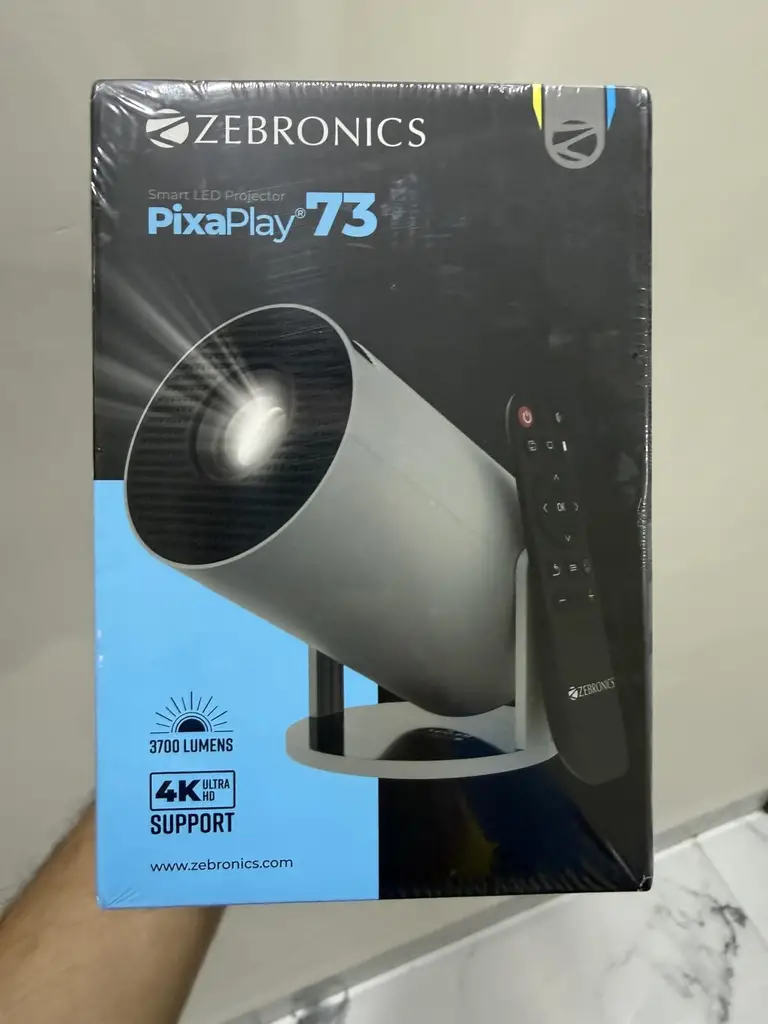
What Is the Zebronics PixaPlay 73?
The Zebronics PixaPlay 73 is a compact smart LED projector designed for home entertainment, including movies, TV, gaming and general streaming. It has a built-in speaker, Android 11, dual-band Wi-Fi, Bluetooth 5.4, Miracast and iOS screen mirroring. It can project an image from roughly 40 inches up to 130 inches, depending on the distance.
The part that needs a little clarification is the resolution. Zebronics advertises the projector as supporting 4K, but the native resolution is 1280 × 720 HD. The projector can accept content up to 4K, but it is not a native 4K projector.
That distinction is pretty important because I think the phrase “4K support” can easily make this sound like a completely different class of projector than it actually is.
Why I Tried It
What initially interested me was the design. After using cheaper projectors, I know that a projector can technically do the job without looking particularly impressive. The PixaPlay 73 looked different. It was compact, cleaner-looking and generally had that more expensive appearance that made me curious about whether the actual experience would feel like an upgrade too.
I also liked the idea of the 200-degree tilt mechanism. With projectors, positioning can be surprisingly annoying, especially when you’re trying to get the picture higher up on a wall or onto the ceiling. Being able to tilt the projector itself sounded much easier than rearranging furniture every time I wanted to watch something.
My Experience With the Zebronics PixaPlay 73
The first thing I appreciated was how easy the projector was to move around. It is small enough that I don’t feel like I’m committing an entire table or corner of the room to it. I can move it when I want to use it and put it away afterward without much effort.
The 200-degree tilt is probably my favorite physical feature. It gives me a lot more freedom with where I want the picture to land, and I don’t have to get the entire projector perfectly level just to project the image higher up.
That sounds like a small thing until you’ve actually dealt with a projector that requires you to find the perfect surface, stack something underneath it or keep moving it around because the picture is too low.
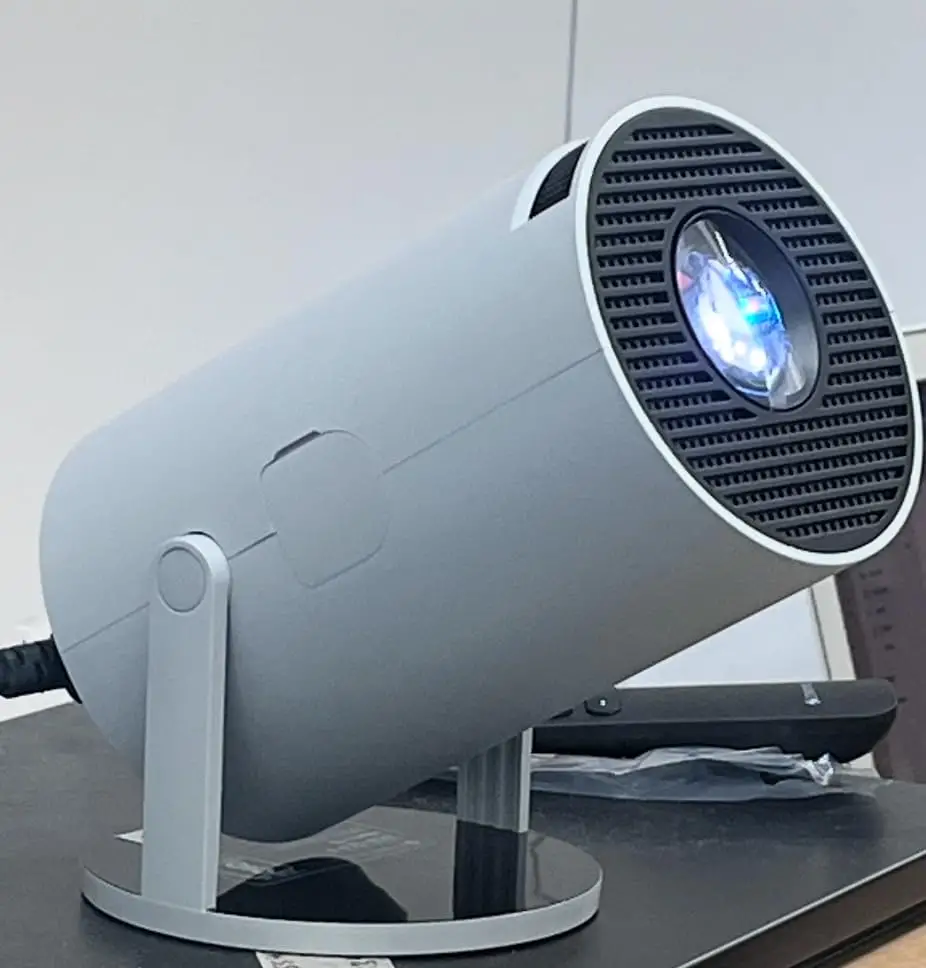
Once I had it positioned, getting the image looking right was fairly straightforward. There is automatic keystone adjustment for vertical correction, although the focus is manual, so I still had to adjust that myself to get the picture sharp.
In a dark room, I was pretty happy with the picture. This is where I think the PixaPlay 73 works best. Watching movies and general streaming content on a large wall is much more enjoyable than watching the same thing on a tiny screen, and the projector gives me that big-screen feeling without needing a huge television.
The picture isn’t perfect, though, and I think the native resolution explains why. At a normal viewing size, I didn’t find myself constantly thinking about the resolution, but once I pushed the image larger, the lack of sharpness became more obvious. Small text and fine details aren’t as crisp as they would be on a good 1080p or 4K television.
For movies, I could live with that. For something like reading lots of text or using it as a giant computer monitor, I wouldn’t be nearly as enthusiastic. The built-in Android system is another thing I liked because it means I don’t have to treat the projector like a dumb display. It runs Android 11 and has 8 GB of internal storage, with dual-band Wi-Fi for connectivity.
I also liked having several ways to get content onto the projector. It supports iOS screen mirroring and Miracast, and there is an HDMI input and USB port as well. Bluetooth 5.4 is useful for connecting compatible audio devices without having to run another cable across the room.
The built-in speaker is convenient too. I wouldn’t describe it as the reason to buy the projector, and if I’m trying to create a proper movie-night setup I’d rather use external speakers, but it is perfectly useful when I just want to turn the projector on and watch something without setting up additional equipment.
Another thing I noticed is that this projector feels more versatile than some of the basic models I’ve used. I don’t have to think of it as something I bring out only when I want to watch a movie. The combination of Android, wireless connectivity, screen mirroring and physical ports makes it easy to use for different types of content.
The main limitation kept coming back to the same thing, though: the 4K label. If I hadn’t looked closely at the specifications, I could easily have assumed that “4K Ultra HD” meant I was getting a native 4K picture. I wasn’t. The projector’s native resolution is 1280 × 720, while 4K is the maximum supported input resolution.
Once I understood that, the picture made much more sense to me. I’m not disappointed that it isn’t a native 4K projector because that’s not what I actually need from a small projector. I just wouldn’t want someone buying it specifically because they think they’re getting native 4K image quality.
What I Loved
- The projector looks much sleeker than many basic budget models.
- The 200-degree tilt mechanism is genuinely useful.
- It’s small and easy to move around.
- The large projected image makes movies more enjoyable.
- Android is built in.
- Wi-Fi, Bluetooth, HDMI and USB give me plenty of connectivity options.
- iOS screen mirroring and Miracast are convenient.
- The built-in speaker means I can use it without immediately connecting external audio.
What I Didn’t Love
- The native resolution is only 1280 × 720.
- The 4K support wording can make the projector sound more powerful than it actually is.
- The picture loses sharpness as the projected image gets larger.
- Focus is manual.
- The built-in speaker is convenient but not something I’d choose for a serious home-theater setup.
- It performs much better in a dark room than a brightly lit one.
The 4K Claim Needs a Closer Look
This is probably the one section I wouldn’t skip if I were considering buying the PixaPlay 73. Zebronics calls it a 4K Ultra HD projector and lists 4K as the maximum supported resolution. At the same time, the company’s own manual lists the native resolution as 1280 × 720p HD.
Those are two very different things. The projector can accept higher-resolution content, but the actual display hardware is still producing a 720p image. So if you’re expecting the kind of sharpness you would get from a native 4K projector, this isn’t it.
For me, that isn’t a dealbreaker because I care more about having a convenient big screen than having an ultra-high-resolution picture. But it is something I would absolutely want to know before spending my money.
Is the Zebronics PixaPlay 73 Worth the Price?
At the ₹7,999 price I found, which is about $83, I think the PixaPlay 73 is reasonably interesting for someone looking for an inexpensive smart projector. Zebronics’ current pages show different prices for the model, so the actual selling price is worth checking before buying.
What makes it appealing to me isn’t the 4K label. It’s the combination of the compact design, 200-degree tilt, Android, wireless connectivity, screen mirroring and large projected image. Those are the things I actually notice when using it.
If I were spending considerably more money, I would want native 1080p or 4K. But in this price range, I think the PixaPlay 73 makes more sense as a fun, convenient smart projector than as a serious home-cinema machine.
Who I Think Will Love It
I think this projector is a good fit for someone who wants to watch movies, shows, YouTube or other casual content on a big screen without spending a lot of money on a dedicated home-theater setup.
It’s also particularly appealing if you move your projector around because the small body and 200-degree tilt make positioning much easier.
Who Should Skip It
I would skip it if you:
- Want native 4K image quality.
- Need extremely sharp text or fine details.
- Plan to use it mainly in a bright room.
- Want a projector to replace a good television.
- Expect built-in speakers to deliver a full home-theater sound experience.
Alternatives
- Zebronics PixaPlay 63
- Zebronics PixaPlay 74B
- Zebronics PixaPlay 75
Conclusion
The Zebronics PixaPlay 73 made a good first impression on me because it looks and feels more polished than the basic projectors I’ve tried before. The compact design, 200-degree tilt and built-in smart features make it genuinely convenient to use, and I enjoyed having a large picture for movies and streaming.
The native 720p resolution is the obvious limitation, especially because the product is marketed around 4K support. Once I understood that it meant the projector could accept 4K content rather than actually display it natively, my expectations made much more sense.
For me, this is a fun, convenient budget smart projector rather than a serious 4K home-theater projector. And for that purpose, I think it does a pretty good job.
Would I Buy It Again?
Yes, if I wanted another affordable projector for casual movie nights and general streaming. I like the design and especially the flexibility of the tilt mechanism.
If I were specifically shopping for the sharpest possible picture, though, I’d spend more on a native 1080p or 4K model.
Would I Recommend It?
Yes, provided you know what you’re buying. I would recommend the PixaPlay 73 for someone who wants a compact smart projector and values convenience, portability and a big picture more than having native 4K resolution.
Also read my similar review of the Wowlink W210 Mini Projector
[…] Also read – Zebronics PixaPlay 73 Review: Is This Android Projector Worth It? I Bought It […]