

This is my second bicycle computer, and although I still prefer my first device, the GEOID CC700 Pro has a few things going for it. It arrived in good condition and on time, has an attractive design, and offers a fairly straightforward way to monitor cycling progress. However, using it hasn’t been entirely smooth. Between the initial app activation requirement, route preparation and screen visibility in bright sunlight, there are a few things I wish had been better.
I’ve been using it for about a week, so here’s what stood out to me.
Key Takeaways
- Attractive design with an easy-to-read layout for monitoring cycling data.
- Physical buttons make it relatively comfortable and straightforward to operate.
- Route navigation requires preparation, and visibility can be difficult in direct sunlight.
- The battery lasts long enough for most one-day cycling trips.
- Initial activation through the mobile app can be frustrating.
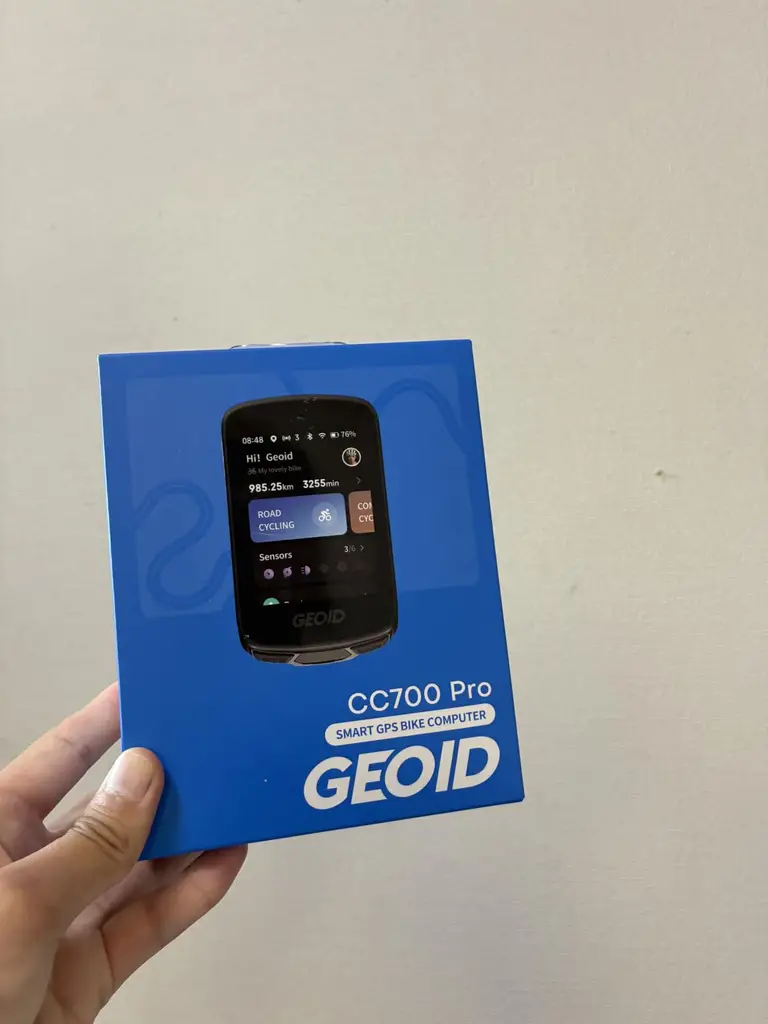
What Is the GEOID CC700 Pro Bicycle Computer?
The GEOID CC700 Pro is a GPS-enabled cycling computer designed to help cyclists monitor their riding performance, track routes and access navigation information without constantly checking their phones.
It features a 2.8-inch colour display, GPS positioning, Bluetooth, ANT+ and Wi-Fi connectivity. It can record cycling information such as speed, distance and other performance metrics, while also supporting route navigation and external cycling sensors. The device works alongside the Onelapfit mobile application, which is used for initial setup, synchronisation, configuration and route management. It also supports third-party platforms such as Strava and TrainingPeaks.
GEOID advertises a battery life of approximately 15–25 hours, depending on usage and settings, making it suitable for extended rides.
My Experience With the GEOID CC700 Pro
The device arrived in good condition and within a reasonable delivery timeframe. There were no issues with the packaging or the condition of the unit when I received it. Visually, I like it. It has a nice design, and the screen provides a convenient way to monitor cycling progress. If you’re someone who likes keeping track of your performance and measuring how well you’re progressing towards your cycling goals, having that information displayed directly in front of you is useful.
The controls are also fairly easy to get used to. I particularly like that it has physical buttons, which make navigating the different functions relatively straightforward. I didn’t find it uncomfortable to operate, and I could get around the interface without too much difficulty.
One thing I appreciate is the battery life. It lasts long enough for practically any ordinary one-day cycling route, so I don’t feel particularly worried about it running out of power halfway through a ride. However, the setup process gave me my first unpleasant surprise. You have to activate the device through the mobile application before you can properly use it. Without completing that process, you’re essentially stuck on the home screen.
I don’t particularly enjoy receiving a new device and then discovering that I can’t use it until I’ve downloaded another application. What made it worse was that the application initially refused to download on my first phone. That was frustrating, especially when I expected to be able to switch on the computer and start exploring its functions.
Navigation is another area where I have mixed feelings. You need to prepare your routes and load them onto the device before setting off. This is something worth remembering because you can’t simply assume that you’ll be able to figure out an unfamiliar route as you go.
The navigation itself is reasonably accurate under normal conditions, but I wouldn’t describe it as consistently reliable in more challenging environments, such as dense forests. The way it displays routes also takes some getting used to.
Rather than providing the kind of detailed surrounding map information that helps you understand your location and identify alternative roads, the navigation experience I encountered was largely about following the route you had already loaded. When you stray from the planned route, you can see your position move away from the route line. That tells you that you’ve gone off course, but it doesn’t necessarily make it easy to work out where you should go next.
This becomes particularly inconvenient at road crossings or places where several directions are available. Without enough surrounding map information to orient yourself quickly, you may not recognise the correct turn in time. It would be much more helpful to have clearer map context rather than relying mainly on the route line.
Another drawback is the screen visibility in bright sunlight. Even with the brightness turned up to 100%, I still found it difficult to see the display clearly when riding under direct sunlight. This is a significant inconvenience for a device that is supposed to be used outdoors, where screen visibility matters.
Overall, I like its appearance, battery performance and straightforward physical controls. However, the app activation requirement, route preparation and sunlight visibility are things I would like to see improved.
Is the GEOID CC700 Pro Worth the Money?
The CC700 Pro has useful features, particularly for cyclists who want to monitor their performance and record their routes. Its battery life is also a positive, and the physical controls make it reasonably comfortable to use.
However, navigation is a major consideration when buying a GPS bicycle computer. Having to prepare routes beforehand and struggling to orient yourself when you go off course can take away from the convenience you would expect from this type of device.
The screen visibility issue is another drawback, especially if you frequently ride in bright conditions. Whether it’s worth buying depends on what you expect from a cycling computer. For basic ride tracking and monitoring performance, it has some appeal. For dependable navigation in unfamiliar or challenging environments, I think there is room for improvement.
Who Should Consider the GEOID CC700 Pro?
The CC700 Pro may suit cyclists who mainly want a dedicated device for tracking cycling performance, monitoring ride data and following routes they have already prepared. However, if you regularly explore unfamiliar roads, cycle through dense wooded areas or need detailed navigation that helps you make quick decisions at junctions, its limitations may become frustrating.
I’d also think twice if you frequently ride in strong sunlight and expect to see the display clearly without adjusting your position.
Alternatives to Consider
If you’re comparing bicycle computers, these are a few other models worth looking at:
- Garmin Edge 130 Plus
- Bryton Rider 420
- iGPSPORT BSC100S
- COOSPO BC200
Conclusion
The GEOID CC700 Pro is a good-looking bicycle computer with useful performance-tracking features, comfortable physical controls and battery life that should be sufficient for most day-long rides. However, I wasn’t entirely impressed with the overall experience. Having to activate it through an app before using it, prepare routes in advance and struggle with screen visibility in direct sunlight are significant inconveniences.
Its navigation also leaves room for improvement, particularly when riding through unfamiliar or densely wooded areas where having more detailed map information would be useful.
It’s not a device I would automatically dismiss, but considering that this is my second bicycle computer and I still prefer my first one, I can’t say the CC700 Pro has completely won me over.
Also read my similar review of the Reel Yaks Radar