

I got the Lexibook Patrol Laptop for my nephew because I wanted something more than a random toy, I hoped it would be both fun and educational, something he’d actually use for learning and not just a plastic gimmick that sits in a drawer. After watching him struggle with basic reading and math games, I thought a kid-friendly laptop might be a good bridge between play and learning.
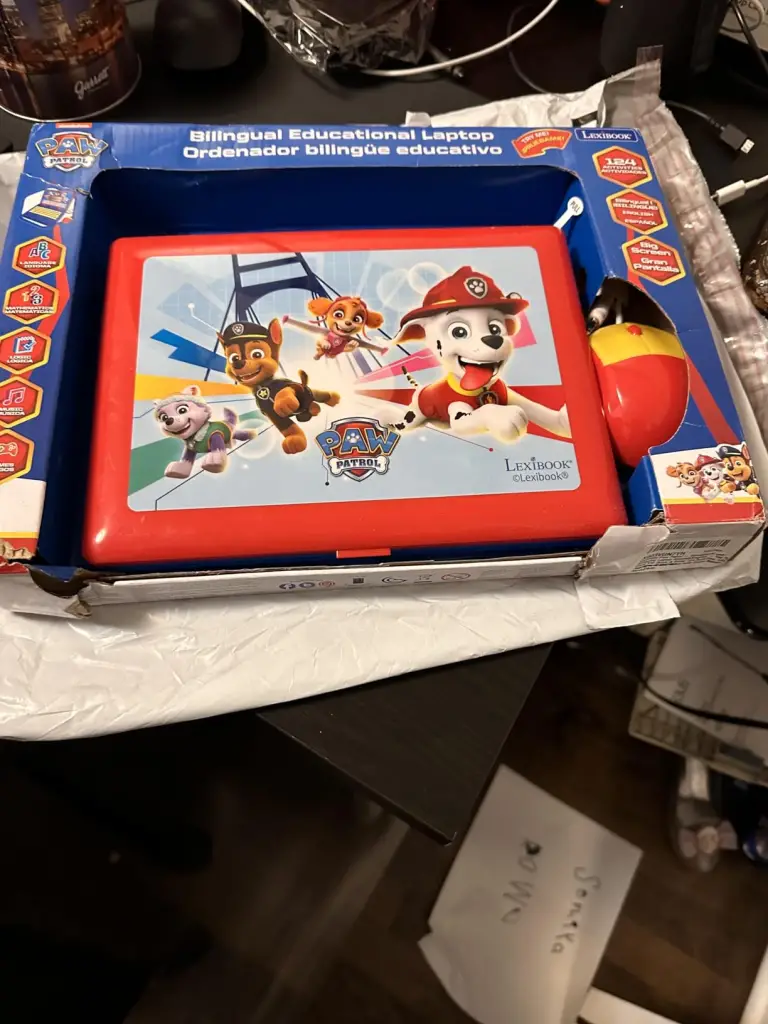
What Is the Lexibook Patrol Laptop?
The Lexibook Patrol Laptop is a children’s educational toy laptop, often themed with Paw Patrol characters and designed to teach basic skills through interactive activities. It’s essentially a toy computer with a keyboard, small LCD screen, mouse, and multiple learning activities like languages (English/Spanish or other bilingual versions), math, logic, music, and simple games. It’s battery-powered and aimed at young kids (usually ages 3–8).
Why I Bought It
I wanted something that would actually engage my nephew’s curiosity while helping him practice letters, numbers, logic, and simple skills, almost like a digital workbook with games. Instead of a generic plastic toy, I figured a laptop-style device with learning activities and games would keep him interested longer.
My Experience Using It
Initial Setup & First Impressions: When the Lexibook Patrol Laptop arrived, it looked cute and just like a miniature laptop, a bright, colorful design with Paw Patrol graphics that immediately caught his eye. The keyboard and little mouse made it feel more “grown-up” than the usual baby toys, which was a big plus in his eyes (and mine).
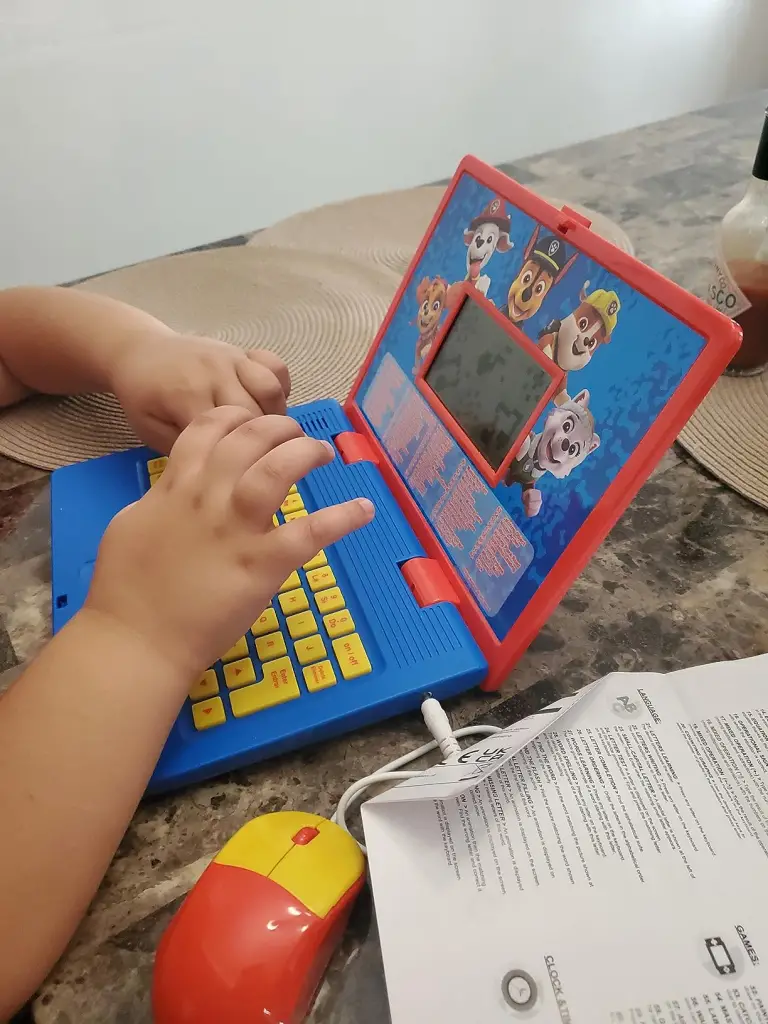
Setting it up was simple: you pop in the AA batteries, turn it on, and he was ready to explore. The screen is small and basic, but it’s clear enough for what it does… mainly text and pixel-style graphics.
Usage Over the First Week: He immediately gravitated toward the games first, especially simple ones like logic puzzles and memory games. The educational stuff took a bit more encouragement, but once he saw it was fun, he started trying the language and math activities.
The laptop has bilingual options (English and Spanish), which was cool… I could switch it so he heard and saw both languages, and he actually started picking up a few words after a couple of days of play.
However, it wasn’t perfect. The screen is pretty low-resolution, and the animations and graphics are very basic. My nephew didn’t mind at first, but after playing for more than 10–15 minutes, he sometimes got bored and wanted something flashier.
Frustrations & Realities:
Over time, a few issues became apparent:
- The interface can be confusing for younger kids… menus aren’t always intuitive, so he needed help navigating sometimes.
- Some activities felt repetitive after a few days, and the laptop doesn’t evolve in challenge beyond the built-in levels.
- A couple of tasks reset or glitched if you didn’t finish them quickly, nothing game-breaking but enough to cause frustration.
- The built-in sounds and music are super basic, more like early handheld devices rather than modern kids’ electronics.
Pedagogical Value: The educational portion does work for basic recognition and logic, not at the school level, but enough to make learning seem like play, which was exactly the goal I had in mind. If your kid already has a strong device like a tablet, this may feel rudimentary. But for a first “computer-like” learning toy, it’s cute and functional.
Pros & Cons
Pros
- Bright, kid-friendly Paw Patrol themed design that encourages play.
- Helps introduce letters, numbers, logic, and even basic bilingual words.
- Lightweight and portable… runs on AA batteries (no cables).
- Simple keyboard/mouse combo helps kids get familiar with computer concepts.
Cons
- Basic LCD screen and old-school graphics… not engaging long term.
- Activities can feel repetitive after repeated play.
- Not intuitive for very young kids without help.
- Some customers report glitches, auto-off issues, and low build quality.
- Educational depth is limited compared with tablets or modern apps.
Is It a Scam?
No, the Lexibook Patrol Laptop isn’t a scam. It genuinely functions: the screen works, activities run, and kids can play and learn basic skills with it. But it is what it is: a simple educational toy, not a real mini-laptop or advanced learning device. The promotion makes it look more “laptop-like” than it actually performs; the functionality is toy-grade and very limited compared with modern tablet apps or educational software.
Alternatives
- VTech InnoTab Max
- LeappFrog LeapPad Academy Tablet
- VTech Little Apps Tablet
Conclusion — Would I Recommend It?
Yes, with realistic expectations. If you want a simple, affordable educational toy that helps young children get excited about letters, numbers, logic, and typing basics (with familiar character themes like Paw Patrol), this is a good pick. My nephew loves it for short sessions of play and feels proud of “using a laptop” like adults.
If you’re hoping for something that will grow with an older child or replace real digital learning tools… this won’t be it. The experience feels fun but basic, and kids may outgrow it quickly.
Also read – BreadEarn.com Review: Fake $100 Giveaway Stealing Your Personal Info