

Does the AceGamer Wireless Controller actually deliver a good gaming experience, or is it just another cheap controller that ends up causing more frustration than it’s worth?
I bought one mainly because of the price, and after using it for a while, I started to understand why opinions on it are so mixed.
Key Takeaways
- AceGamer controllers are very affordable budget gamepads
- They support multiple platforms (PC, mobile, consoles)
- Performance is decent for casual gaming
- Common issues include Bluetooth connectivity problems and inconsistency
- Overall quality feels hit-or-miss depending on the unit
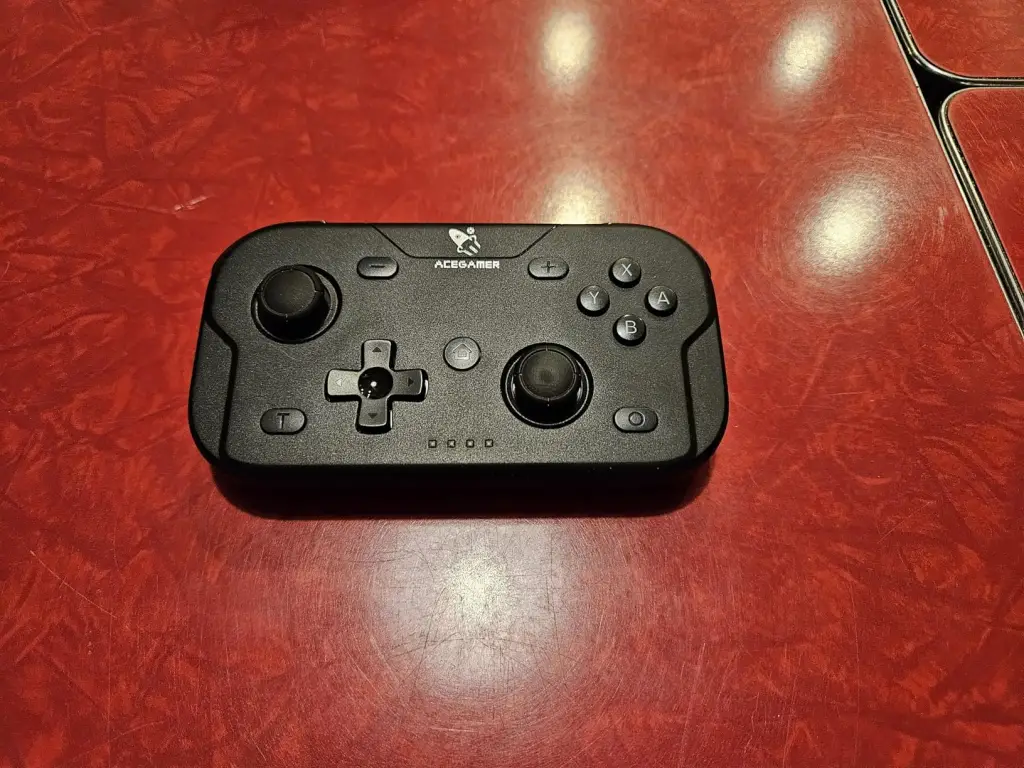
What is the AceGamer Wireless Controller?
AceGamer wireless controllers are budget-friendly gamepads designed for use across multiple platforms like PC, Android, iOS, and some consoles. Most models support Bluetooth and wired connections, feature vibration feedback, and include basic gaming functions like analog sticks, triggers, and sometimes RGB lighting. Battery life typically ranges around 6–10 hours depending on the model.
They’re generally priced far lower than premium controllers, often in the $15–$40 range, which makes them appealing for casual gamers or as a secondary controller.
Why I Bought It
I picked up the AceGamer controller because I wanted something affordable for casual gaming, not something I’d be too worried about damaging or overusing.
At that price point, I wasn’t expecting premium quality, but I did expect it to at least be reliable enough for basic gameplay.
My Experience Using It
When it arrived, the first thing I noticed was that it actually looked better than I expected for a budget controller. The design gives it a more “premium” feel than the price suggests.
Setting it up with a cable was straightforward. It connected almost instantly and worked fine for basic gameplay. The buttons felt decent, not amazing, but usable. The analogue sticks were responsive enough for casual games, though they didn’t feel as precise as higher-end controllers.
The real issues started when I tried using it wirelessly. Getting the Bluetooth connection to work consistently took a bit of trial and error. Even after pairing it, there were moments where it either didn’t respond properly or needed to be reconnected. And from what I later saw, this wasn’t just my experience.
That pretty much summed up what I experienced too… wired use felt stable, but wireless felt unreliable. Over time, I also noticed that the controller just didn’t feel as solid during longer gaming sessions. It works, but you’re constantly aware that it’s a budget device.
That said, for quick or casual gaming sessions, it did the job. It’s just not something I’d rely on for competitive or long gameplay.
Is It a Scam?
The AceGamer controller isn’t a scam… you do get a working controller for the price.
But it does feel like a typical budget or white-label product, where quality control and performance can vary. It delivers basic functionality, but not always consistently.
Pros & Cons
Pros
- Very affordable
- Works well when used with a cable
- Decent for casual gaming
- Compatible with multiple devices
Cons
- Bluetooth can be unreliable
- Build quality feels average
- Not ideal for competitive gaming
- Performance can vary between units
How to Use
- Charge the controller fully
- Connect via USB for first-time setup
- Pair via Bluetooth (if supported)
- Use wired mode if you experience connection issues
- Adjust settings depending on your device
Alternatives to Consider
If you want something more reliable, consider these options:
- 8BitDo Ultimate Bluetooth Controller
- GameSir X5 Lite Mobile Controller
These tend to offer better build quality and more consistent performance, even if they cost a bit more.
Conclusion: Would I Recommend It?
I’d only recommend the AceGamer controller if you’re looking for a cheap, casual-use controller and don’t mind a few issues.
It works, especially when used wired, but the inconsistent wireless performance and average build quality make it hard to rely on it long term.
Also read my similar review on the Atari Game Station Pro