

I’ve gone through more gaming controllers than I can count, from stiff D-pads to unreliable thumbsticks, and I was tired of compromise. When I heard about the 8BitDo Ultimate 2 Wireless Controller, with its flexible button mapping, customizable profiles, and strong wireless performance, I figured it could finally be the one controller to rule them all. So, I bought it, and here’s exactly how it played out for me.
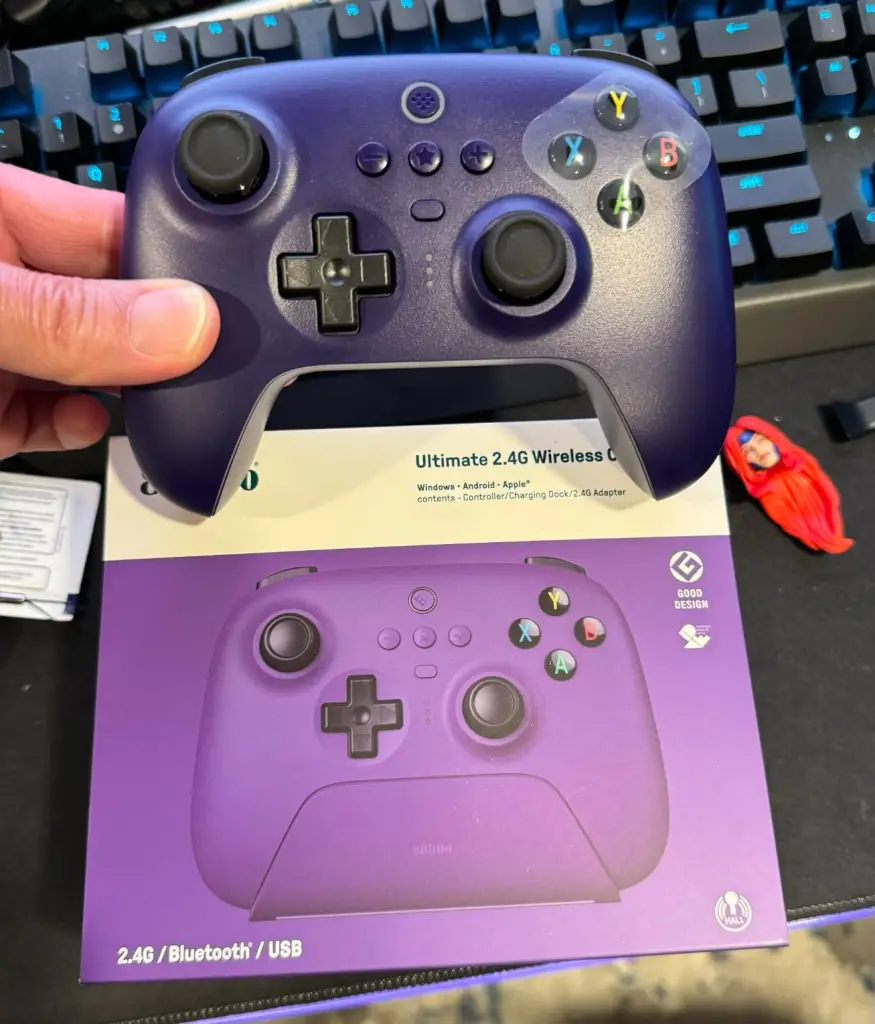
What Is the 8BitDo Ultimate 2 Controller?
The 8BitDo Ultimate 2 is a premium wireless Bluetooth/2.4 GHz controller designed to work with Nintendo Switch, Windows, Android, Steam, and more. It adds robust customization features, including on-device remapping, adjustable macros, trigger locks, turbo, and multiple stored profiles, all through an intuitive app and onboard buttons. It’s a step above standard controllers like the Switch Pro or Xbox controllers, especially for gamers who love customization.
Why I Bought It
I wanted a controller that wasn’t just “good enough,” but one that could adapt to different games without me fussing with software every time. The Ultimate 2’s reputation for deep customization and multiple device support sold me, especially since I play a mix of Switch titles, PC games through Steam, and emulated classics. A single controller that works everywhere with tailored layouts? Count me in.
My Experience Using It
Unboxing & First Impressions: Right out of the box, the build quality felt solid, nice matte finish, responsive buttons, and a comfortable grip for long sessions. Syncing was easy: Bluetooth paired with my devices quickly, and the included USB-C dongle gave me that low-latency 2.4 GHz option I prefer on PC.
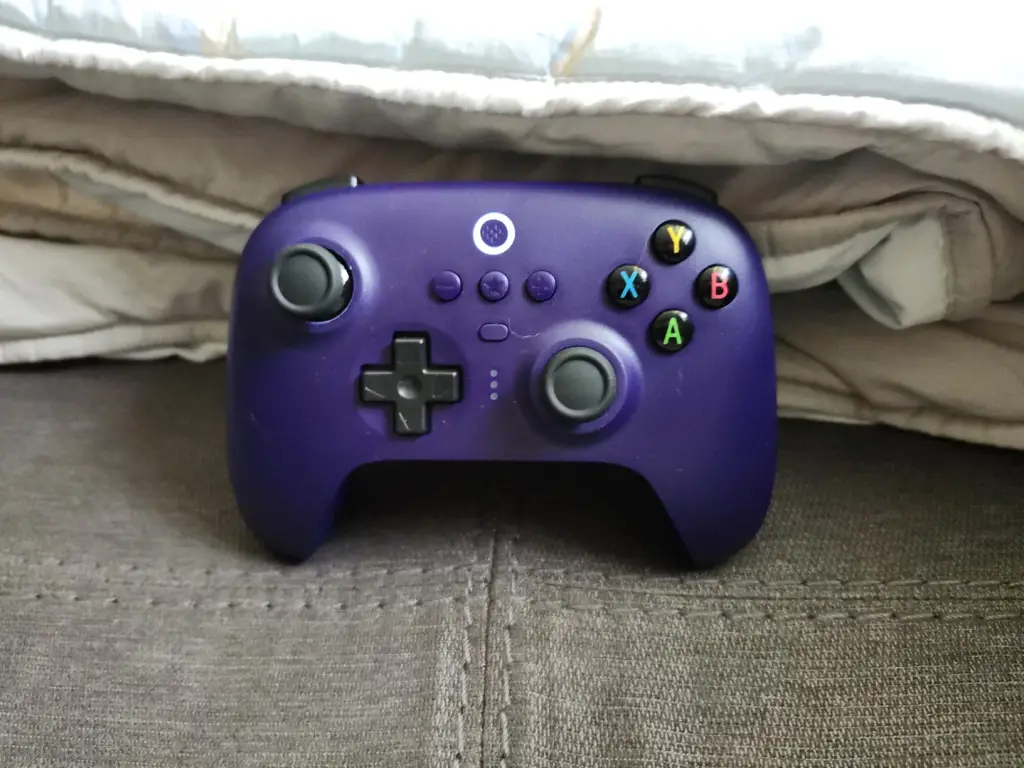
Daily Use: I paired it with the Switch first. The sticks were precise, the D-pad was better than most default controllers, and the triggers felt nice and responsive without mushiness. Then I paired it with Steam/PC, again, flawless connection. No drift and no weird button mapping issues.
Customization: This is where it got fun. The Ultimate 2 app lets you create and store profiles, so I made a “Smash Bros profile” with adjusted stick sensitivity and custom macros, a “2D platformer profile” with optimized jump buttons, and a “PC shooter profile” with adjusted trigger response. Then the deep dive began: I set up macros for combos, changed rumble strength, and even set trigger locks.
Once you get it all set up, switching profiles with the dedicated button is so convenient, and I could instantly adapt the controller for different games on the fly without reconnecting or reopening software.
Battery & Comfort: Battery life was excellent, solid multi-session support without me having to charge constantly. The controller’s shape felt ergonomic for extended play sessions; my hands didn’t cramp even after hours of gaming. Rumble was strong without being overpowering.
Minor Downsides: A few frustrations did show up. The initial setup for the app profiles can be overwhelming if you’re not used to deep customization. I spent a couple of hours tweaking before finding settings I loved. Also, some titles didn’t natively recognize certain remapped controls unless I used “Ultimate mode,” which required route planning and a firmware update. It’s not plug-and-play perfect if you want customization without effort.
Pros & Cons
Pros
- Excellent build quality… feels premium and durable.
- Strong Bluetooth and 2.4 GHz wireless performance with multiple devices.
- Awesome customization (profiles, macros, remapping, trigger locks).
- Great ergonomics and battery life.
- Works across Switch, PC, Android, Steam, and more.
- On-device access to profiles without constantly opening software.
Cons
- Customization setup has a learning curve, so it can be complex at first.
- Some games don’t natively respect remapped layouts without “Ultimate mode.”
- A bit expensive compared with basic controllers (but worth it if you want deep features).
Is It a Scam?
Definitely not. The 8BitDo Ultimate 2 Wireless Controller is a legitimate, well-crafted controller that delivers on what it promises. There’s no hidden function, no misleading marketing, just genuine hardware with deep customization features. Just be prepared to spend a bit of time learning the system to unlock its full potential.
Alternatives
- Nintendo Switch Pro Controller
- Xbox Wireless Controller (Xbox Series X/S)
- 8BitDo Pro 2
Conclusion — Would I Recommend It?
Yes, with a clarification: if you’re someone who loves tweaking controls, switching between platforms, and customizing profiles for different games, the Ultimate 2 is one of the best controllers available. It’s versatile, powerful, and comfortable for long sessions.
If you want something simple without digging into settings, a traditional Pro or Xbox controller may feel easier, but for flexibility, precision, and cross-platform support, this one stood out for me.
Also read – Are PureWell Psychobiotics Legit? Evidence, Complaints & What Science Says