

I replaced my old router because my household was getting crowded, lots of devices, smart‑home gear, streaming, remote work, and too many WiFi drops. When I heard about the Dream Router 7 with WiFi 7, 10 GbE support, and built‑in UniFi network management, I thought: this might finally be the “set‑and‑forget, power‑user ready” network hub I’ve been looking for.
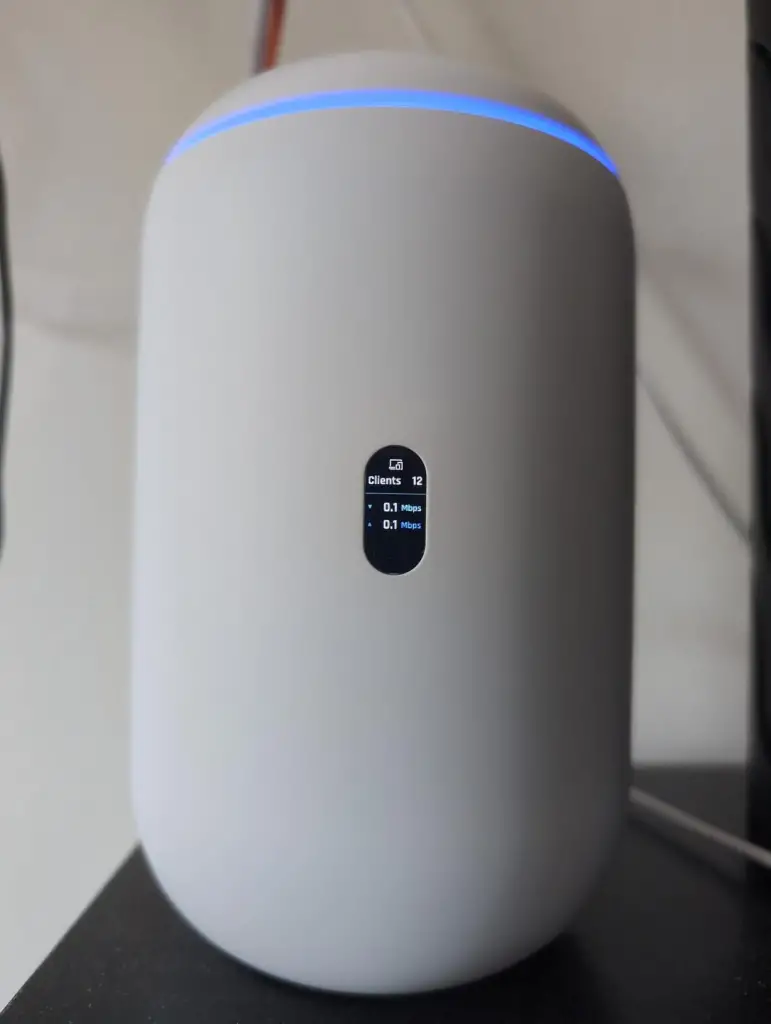
What Is the Ubiquiti UniFi Dream Router 7?
The Dream Router 7 is an all-in-one cloud gateway + WiFi router + network switch + UniFi ecosystem controller. It combines a tri‑band WiFi 7 access point (2.4 GHz, 5 GHz, 6 GHz), a multi‑gig wired switch (3 × 2.5 GbE LAN + 10 GbE SFP+ or 2.5 GbE WAN + LAN options), and built‑in support for the full suite of UniFi Network / UniFi Protect / UniFi apps for device‑, security‑, and network‑management.
It also includes a preinstalled 64 GB microSD for local storage/NVR, a PoE output on one LAN port (useful for small devices like IP cameras or access points), and promises enough capacity to manage 30+ UniFi devices or 300+ clients.
Why I Bought It
I wanted a router that wouldn’t feel outdated after a few years. With fiber internet, many devices streaming, and occasional 4K streaming on different devices… I needed something robust. The multi‑gig ports (for wired stability), WiFi 7, and the unified UniFi ecosystem (for security, device management, guest networks, surveillance via Protect) sounded ideal. Also, I liked the idea of having a single box doing everything, no need for a separate gateway, switch, APs (for a small apartment), or separate NVR.
My Experience Using It
As soon as I plugged in the Dream Router 7, setup was fairly straightforward (if you’re comfortable with network basics). The router’s interface, via UniFi, felt professional: I created separate WiFi networks (2.4 GHz for IoT, 6 GHz for my PC; 5 GHz for general devices), set guest networks for visitors, enabled basic firewall rules, and set a PoE camera on the LAN port.
For the first days, everything felt fast: streaming, even 4K, on multiple devices simultaneously, video calls, gaming, no stutter. Wired devices using Ethernet got stable 1 Gb+ throughput without hiccups.
WiFi coverage was decent in my home size (2‑3 rooms apartment), and the WiFi 7 band gave noticeably lower latency and smooth streaming on compatible devices. I loved that I didn’t need a separate WiFi extender and for my space it was enough.
However, after a couple of weeks, some problems crept in: On a couple of occasions, some devices lost WiFi connection briefly (smart‑home sensors, phones) and struggled to reconnect until I rebooted the router. That was annoying. Also, a few users in my circle reported instability with 2.5 GbE RJ45 WAN… they said internet kept dropping, and only switching to the 10 GbE SFP+ WAN stabilized it.
Still, even with these issues, when it works it really works, fast, modern, and far more powerful than any standard home router I’ve used before.
Pros & Cons
Pros
- Integrated WiFi 7 (2.4 / 5 / 6 GHz tri‑band) future‑proof wireless for devices that support it.
- Multi‑gig wired ports (10 GbE SFP+ + 2.5 GbE), which are great for fiber internet and high‑bandwidth LAN devices.
- Full UniFi ecosystem (network, security, device management, NVR via built‑in microSD)… everything in one box.
- PoE output on one LAN port, handy for powering a camera or AP with the router itself.
- Solid hardware specs: quad‑core processor, 3 GB RAM, and handles many clients/devices with ease.
Cons
- Occasional WiFi drops or instability, especially with certain ISP setups (PPPoE) or when using just the 2.5 GbE WAN port.
- Mixed wireless performance depending on location and interference (some users report poor range).
- Requires some knowledge to configure properly (UniFi interface is powerful but not plug‑and‑play easy for non‑tech users).
- More expensive than basic routers, higher purchase cost upfront.
Is It a Scam?
No. The Dream Router 7 is legit, with real hardware, real performance potential, and real satisfied users. The issue isn’t fraud, it’s variability: what works well in some homes or configurations might have stability problems in others. It demands correct setup, perhaps a bit of technical know‑how, and sometimes a 10 GbE WAN for full potential.
Alternatives
If you’re considering similar routers/gateways with strong reputations and wide use, these are good candidates:
- Asus RT-AX88U
- TP-Link Archer AXE3000
- Netgear Nighthawk RAXE500
(Note: For heavy users or fiber‑internet setups, pairing a robust router with quality network devices often yields good results.)
Conclusion — Would I Recommend It?
Yes, with a caveat. If you want a future-ready, powerful, flexible network hub and you’re comfortable with some setup or tech‑config work, the Dream Router 7 is a great investment for a busy, device-filled home or small office. It delivers real benefits: multi‑gig ports, WiFi 7, integrated UniFi ecosystem, and the convenience of many features in one box.
If instead you want an “install-and-forget, always stable, easy for anyone” router, especially in environments with potential interference or ISP quirks, then a more basic, proven router might give more consistent reliability.
Also read – Before You Buy Rapid Slim ACV Gummies – What You Must Know (2025 Review)