

I bought the Eufy Security Camera because I wanted something simple. No subscriptions, no complicated setup… just a camera I could install and check whenever I needed.
On paper, it looked like the perfect “modern” security system.
But after actually using it, I realized it’s more of a convenience tool than a fully dependable security solution.
Key Takeaways
- The video quality and hardware feel genuinely premium
- No monthly subscription is a big advantage
- Setup is easy, but the app experience isn’t always smooth
- Detection works, but not always consistently
- It’s good for convenience, but not something I’d fully rely on for serious security
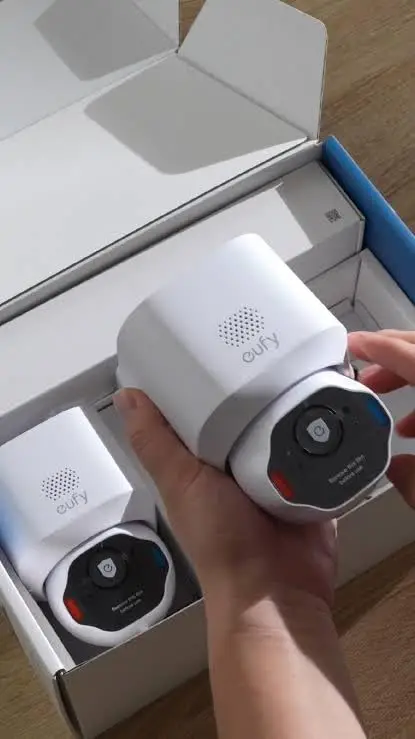
What is the Eufy Security Camera?
Eufy security cameras are wireless indoor and outdoor cameras designed for home monitoring, offering features like HD to 4K video, motion detection, night vision, and local storage without mandatory monthly fees. Many models also include AI detection for people, pets, and vehicles, plus app-based controls.
Why I Tried It
I wanted something:
- easy to install
- no subscription fees
- decent video quality
- and something I could check remotely
The “no monthly fee + local storage” part was what really sold me.
My Experience Using It
Setting it up was actually easy. It didn’t take long to get everything connected, and the app walks you through most of it. Within a short time, I had it running and could see live footage on my phone.
The first thing I noticed was the video quality. It’s genuinely good. Clear enough to see details, even at night. That part felt like a win immediately.
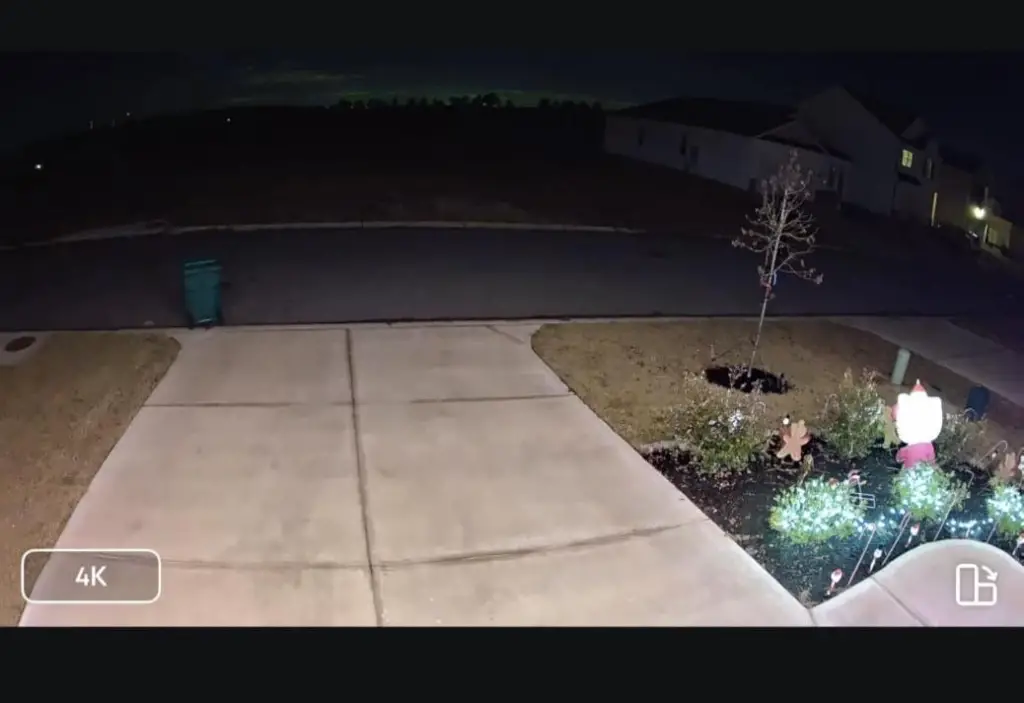
But once I started using it daily, a few things stood out. The app isn’t always consistent.
Sometimes it loads quickly, and other times there’s a delay when trying to view live footage. It’s not constant, but it happens enough to notice, especially in moments where you want to check something quickly.
Motion detection is also a bit hit or miss. There were times it picked up movement exactly as expected. Other times, it either delayed notifications or didn’t feel as responsive as I would have liked. It works—but not with the kind of reliability you’d expect from something meant for security.
One thing I did appreciate is not having to pay monthly.
The local storage setup means you’re not locked into subscriptions, which makes it feel more cost-effective long term. But then there’s the part that made me rethink how I use it.
It doesn’t feel like something I can fully depend on. If everything is working, it’s great. But there’s this underlying feeling that if something goes wrong, like connection issues or missed detection, you might not even know immediately.
So I ended up seeing it less as a “security system” and more as a monitoring tool.
Pros & Cons
Pros
- High video quality
- No monthly fees
- Easy setup
- Clean design
Cons
- App can be slow or inconsistent
- Motion detection isn’t always reliable
- Not ideal as a fully dependable security system
Product Claims vs. Reality
Video quality → lives up to expectations
Easy setup → accurate
No subscription → one of its best features
Reliable security → not as consistent as expected
Is It a Scam?
No, but it depends on how you look at it. The product itself is real and functional. You get good video quality, useful features, and the benefit of no monthly fees.
Where the disconnect happens is in how it’s positioned.
It’s marketed as a security system, but in real use, it doesn’t always deliver the level of reliability you’d expect from something protecting your home. Delays, missed detections, or connection issues—even if occasional… matter more here than they would with a regular gadget.
So it’s not a scam, it’s more of a consumer-friendly security camera that leans toward convenience rather than absolute reliability.
Features Breakdown
Key features include:
- HD/4K camera resolution
- motion detection with AI
- local storage (no subscription required)
- mobile app control
How to Use
Install the camera, connect it through the app, and monitor footage live or through saved recordings.
Alternatives to Consider
- Ring Stick Up Cam
- Arlo Pro 4 Spotlight Camera
- Google Nest Cam
Conclusion — Would I Recommend It?
Yes, but with realistic expectations. If you want something affordable, easy to use, and subscription-free, it makes sense.
But if you’re looking for something you can rely on 100% for serious security, this might not give you that level of confidence.
For me, it works, but I don’t treat it as my only line of protection.
Also read my similar review on the Arlo Pro Wireless Camera