

I was genuinely excited about the GoPro MAX 2. On paper, it sounded like the perfect camera: shoot everything around you in 360 degrees, reframe shots later, capture epic travel footage, and never miss a moment because the camera records every angle.
The reality was much less exciting. After the initial novelty wore off, I found myself spending more time dealing with the footage than actually enjoying the camera.
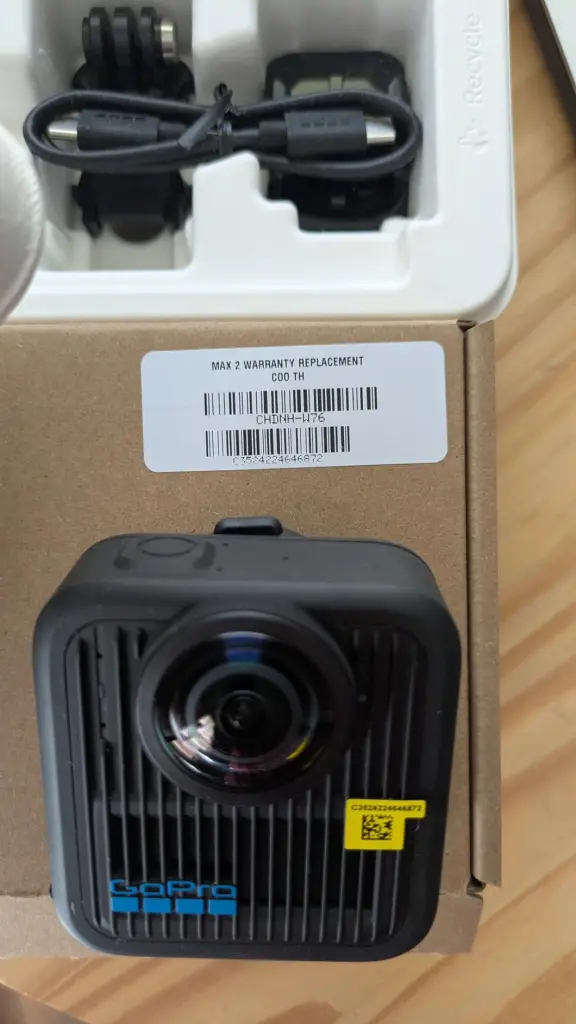
What is the GoPro MAX 2?
The GoPro MAX 2 is a 360-degree action camera designed to capture immersive video and photos using dual lenses. The idea is simple: instead of worrying about framing your shot, the camera records everything around you, allowing you to choose angles later during editing.
It’s marketed toward travellers, vloggers, action sports enthusiasts, and content creators who want maximum flexibility when filming.
Why I Tried It
I’ve always liked the concept of 360 cameras. The ability to capture an entire scene and decide later what angle to use sounds incredibly convenient. I also thought it would be useful for travel footage, outdoor adventures, and moments where I didn’t want to constantly think about camera positioning.
The marketing made it seem almost foolproof. Point it somewhere, hit record, and figure out the perfect shot later.
What could go wrong? Quite a bit, apparently.
My Experience Using It
The first few videos were fun. There’s definitely a “wow” factor when you see your footage and realise you’ve captured every direction at once. For a short time, I understood exactly why people get excited about 360 cameras.
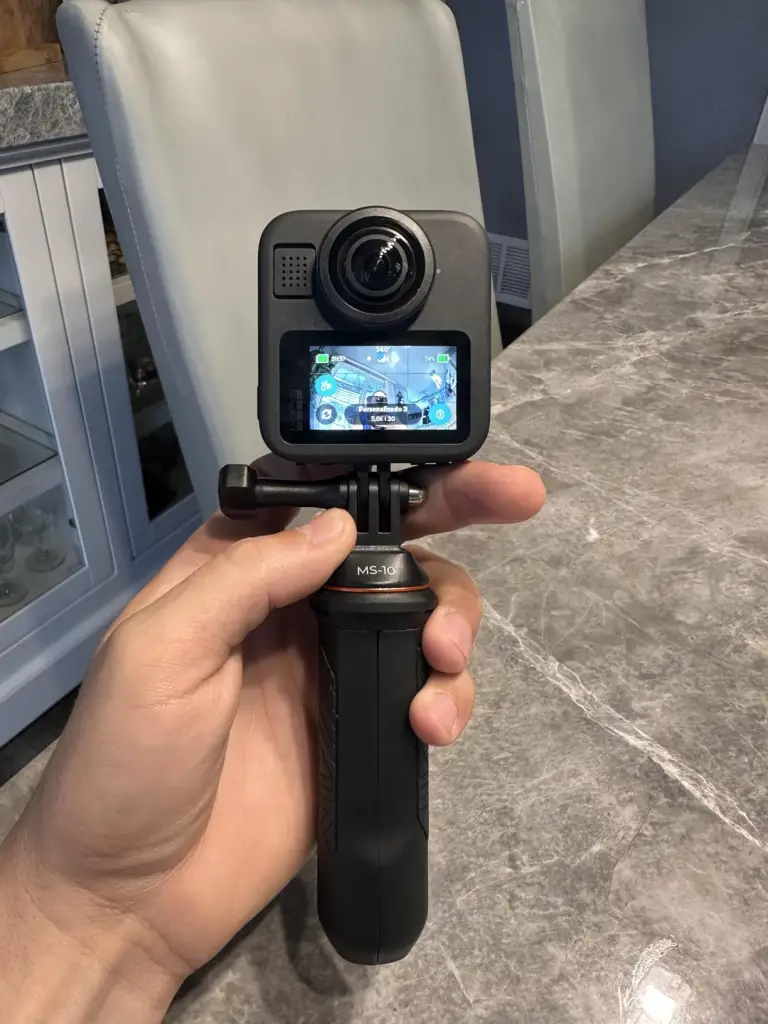
Then I actually had to work with the footage. That’s where my enthusiasm started disappearing. The files are enormous, much larger than I expected.
A short recording session could consume a surprising amount of storage, and moving those files around quickly became tedious. What looked like a simple recording process turned into a workflow that felt far more demanding than a regular action camera.
Then came the editing. The advertisements make reframing look effortless. In reality, I found myself spending far more time than expected adjusting angles, exporting footage, and dealing with software limitations. Instead of saving time, the camera often created extra work.
The image quality was another disappointment. It wasn’t terrible, but it also wasn’t what I expected considering the price. Once footage was reframed and processed, the results often looked softer than I’d hoped. The immersive 360 effect was impressive, but pure image quality wasn’t nearly as impressive as the marketing led me to believe.
The overheating issues were perhaps the most frustrating part. During longer recording sessions, especially in warmer conditions, I became increasingly aware of heat management. For an action camera that’s marketed toward outdoor use, I expected more reliability. Instead, I often found myself wondering whether the camera would finish recording before becoming too hot.
Battery life didn’t help matters either. I never felt comfortable leaving the house with a single battery. The advertised figures and my real-world experience felt like two very different things, especially when recording higher-quality footage.
And then there’s the software. Being pushed toward the GoPro ecosystem became annoying surprisingly quickly. The Quik app felt less like a companion tool and more like a gateway into subscriptions, upgrades, and premium features. I wanted a camera. I didn’t want another service trying to sell me things.
By the end of my time with the MAX 2, I found myself reaching for simpler cameras more often. Not because they were more advanced. But because they were easier.
Build Quality & Feel
The hardware itself is actually quite nice.
It feels solid, durable, and well-built. The design is unmistakably GoPro, and the camera has that premium feel you’d expect at this price point.
Ironically, my biggest complaints had very little to do with the physical camera itself and much more to do with the experience of actually using it.
Pros & Cons
Pros
- Captures every angle at once
- Creative reframing possibilities
- Solid build quality
- Fun for travel and action footage
- Unique perspectives that traditional cameras can’t capture
Cons
- Overheating can be frustrating
- Battery life feels disappointing
- Massive file sizes
- Editing workflow is time-consuming
- Image quality isn’t as impressive as expected
- Software ecosystem can feel restrictive
- Requires more effort than standard action cameras
- Subscription upselling becomes annoying
Product Claims vs. Reality
The camera absolutely records 360-degree footage. It absolutely allows reframing. And it absolutely captures perspectives that would be impossible with a traditional action camera.
The problem is that the marketing focuses heavily on how easy and seamless everything supposedly is. My experience was the opposite.
The workflow was more complicated, the files were larger, the editing took longer, and the overall experience felt far less user-friendly than advertised.
Is It a Scam?
No. You receive a genuine 360 camera that performs the functions it claims to perform.
However, I do think the marketing glosses over many of the frustrations that come with owning a 360 camera. The learning curve, storage demands, editing requirements, battery limitations, and software ecosystem deserve far more attention than they typically get in promotional materials.
How to Use
If you buy the MAX 2, I’d strongly recommend going in with realistic expectations.
This isn’t a point-and-shoot camera that magically creates perfect content. It’s a tool that requires storage space, patience, editing time, and a willingness to learn the workflow.
The people who seem happiest with 360 cameras are the ones who genuinely enjoy that process.
Alternatives to Consider
- Insta360 X5
- Insta360 X4
- DJI Osmo Action 5 Pro
- GoPro HERO13 Black
Conclusion — Would I Recommend It?
Probably not for most people. That’s the conclusion I kept coming back to.
The idea of the GoPro MAX 2 is fantastic. The reality is much harder to live with. Between the overheating concerns, underwhelming battery life, huge file sizes, editing headaches, and software frustrations, I spent far more time managing the camera than enjoying it.
For professional creators who specifically need 360 footage, it may still make sense. For everyone else, I think there’s a good chance you’ll be impressed for the first week, frustrated for the next month, and eventually find yourself reaching for a simpler camera instead.
The biggest disappointment wasn’t that the camera was unusable. It was that such a great concept ended up feeling like so much work.
Also read my similar review on the Eufy Security Camera